Xtream Codes Explained (2026): How to Log In on Any IPTV App
Xtream Codes are the three login details that connect your IPTV app to your channels. In this guide you will learn what Xtream Codes are, how they differ from an M3U link, how to log in on IPTV Smarters Pro, TiviMate and IBO Player, and how to fix the most common login errors in seconds.
Quick answer
Xtream Codes are a simple IPTV login made of a server URL, a username and a password. You enter them in an app such as IPTV Smarters Pro or TiviMate, and your live channels, movies, series and TV guide load automatically. With 4K IPTV X you receive your personal Xtream Codes on WhatsApp in about 5 minutes, from $10.99/month.
⚡ Login in 5 minutes
Get your personal Xtream Codes login and start watching on any app tonight
✅ 55,000+ live channels · ✅ 170,000+ movies & series · ✅ Instant activation on WhatsApp
What Are Xtream Codes?
Xtream Codes is the name of the login format that almost every IPTV player and most of the top IPTV services use today. Instead of a long playlist link, your provider gives you three short details: a server URL, a username and a password. You type them into your app, and the app downloads your live channels, movies, series and TV guide automatically.
The name comes from an old IPTV panel software. That software stopped in 2019, but its login system, often called the Xtream Codes API, became the standard. Today, when someone says "send me your Xtream Codes", they simply mean those three login details.
The big advantage of this login method is comfort. Channels are sorted into categories, movies and series get posters and descriptions, catch-up works when available, and the electronic program guide (EPG) loads by itself. You do not need to copy any extra link for the guide.
Xtream Codes vs M3U Link: What Is the Difference?
Most providers can give you both an Xtream Codes login and an M3U playlist link. Both open the same content, but they behave differently inside your app:
| Xtream Codes login | M3U link | |
|---|---|---|
| What you enter | Server URL + username + password | One long URL |
| Movies & series | Separate sections with posters | Often mixed with live channels |
| TV guide (EPG) | Loads automatically | Sometimes needs a separate EPG link |
| Updates | New content appears by itself | You may need to refresh the playlist |
| Best for | IPTV Smarters Pro, TiviMate, XCIPTV | VLC, simple players, some Smart TV apps |
Our advice: use the username and password login whenever your app supports it. It is easier to type, more stable and gives you the best experience.
The 3 Parts of an Xtream Codes Login
Every login of this type looks like this (the values below are only an example):
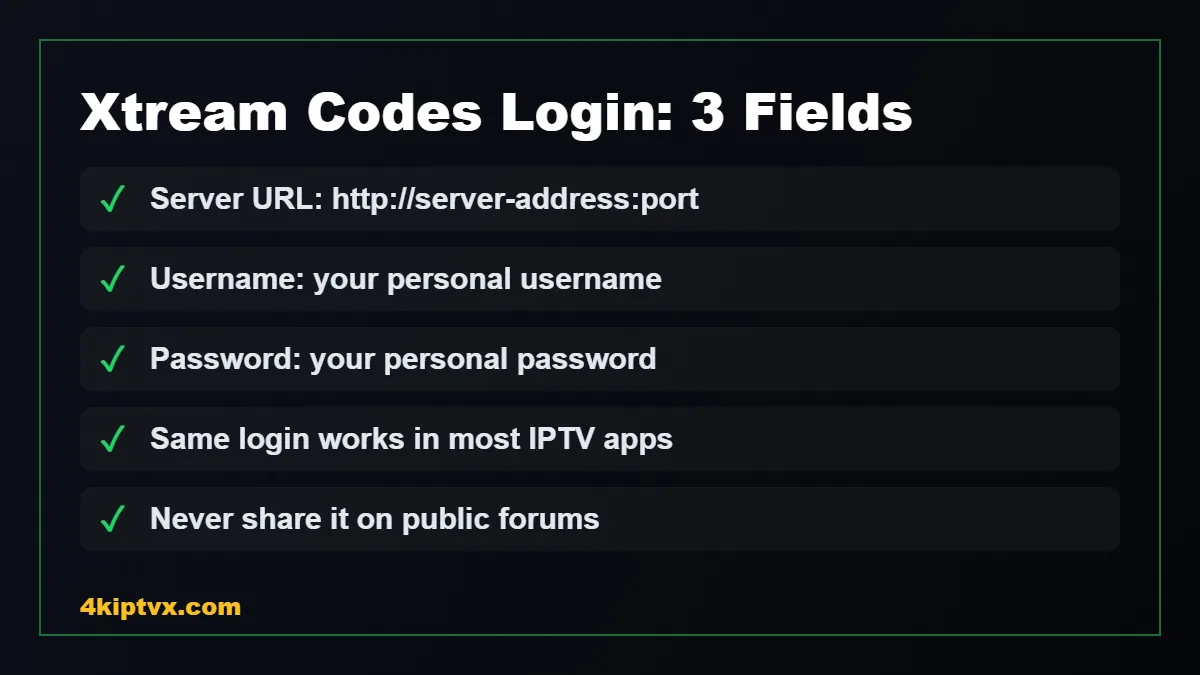
- Server URL (or "Host"): http://server-address.com:8080. This is the address of the IPTV server. It often ends with a port number such as :8080 or :80.
- Username: for example john4521. It is personal and unique to your subscription.
- Password: for example k8Lp2Qx. Type it exactly, because it is case sensitive.
Some apps also ask for a "playlist name" or "any name". This field is just a label for you, so you can write anything, like "My TV". It has no effect on the connection.
How to Log In With Xtream Codes on Popular Apps
IPTV Smarters Pro
- Open IPTV Smarters Pro and choose Login with Xtream Codes API.
- Type any name, then enter your username, password and server URL.
- Tap Add User. The app downloads your channels, movies and series in a few seconds.
Wondering what the app costs? Read our guide to the IPTV Smarters Pro subscription price.
TiviMate
- Open TiviMate and select Add playlist.
- Choose Xtream Codes, then enter the server address, username and password.
- Press Next, give the playlist a name and finish. The TV guide appears automatically.
More details in our TiviMate Premium vs Free guide.
IBO Player (Samsung and LG Smart TVs)
IBO Player works a little differently: the app shows a MAC address and a Device Key on screen. Send us a photo of that screen on WhatsApp and we add your Xtream Codes playlist for you, so you do not have to type anything on your TV remote.
Other apps
XCIPTV, GSE Smart IPTV, iPlayTV, Sparkle TV and many other players accept Xtream Codes too. Look for an option called "Xtream Codes", "Xtream API" or "Login with username and password".
Need a working Xtream Codes login?
Tell us your device and app on WhatsApp. We send your server URL, username and password in minutes, with 55,000+ channels and 4K content.
Using Xtream Codes on Each Device
The same Xtream Codes login works on almost every screen in your home. Here is the quickest path for each device:
- Amazon Firestick: install IPTV Smarters Pro or TiviMate with the Downloader app, then log in. Our 4K IPTV Firestick setup guide walks you through every screen.
- Samsung and LG Smart TVs: IBO Player is the easiest option, because we add the playlist for you with your MAC address.
- Apple TV 4K, iPhone and iPad: use IPTV Smarters Pro or iPlayTV. See how to install IPTV on Apple TV 4K.
- Android TV boxes and phones: TiviMate and IPTV Smarters Pro both work perfectly.
- Windows and Mac: IPTV Smarters Pro has a desktop version. VLC works too, but with the M3U link instead.
Remember that the number of screens you can watch at the same time depends on your plan. You can install the app on many devices, but a 1-screen plan plays on one device at a time.
Common Xtream Codes Errors and How to Fix Them
Most login problems come from a small typing mistake. This table covers the errors our support team sees most often:
| Error message | Most likely cause | Quick fix |
|---|---|---|
| Invalid username or password | A typo, an extra space or a wrong capital letter | Retype slowly, or copy and paste the details |
| Connection failed / server not found | Wrong server URL or missing port number | Check http:// at the start and :port at the end |
| Account expired | The subscription or test line has ended | Renew your plan and log in again |
| Max connections reached | Too many devices playing at the same time | Stop playback on another device or upgrade to more screens |
| Channels load but freeze | Slow Wi-Fi or a busy home network | Restart the router, use 5 GHz Wi-Fi or an Ethernet cable |
| Empty TV guide | EPG still loading | Close the app fully, reopen it and wait a few minutes |
Still stuck? Send a screenshot of the error on WhatsApp. Our team usually solves Xtream Codes login problems in a few minutes.
Xtream Codes vs MAC Portal (Stalker): Which One Do You Need?
Besides the classic login, some devices use a third method called a MAC portal, also known as a Stalker portal. It is mostly found on MAG boxes and a few Smart TV apps. Instead of a username and password, the service is linked to the MAC address of your device, and you only enter a portal URL.
Here is a simple way to choose:
- You use IPTV Smarters Pro, TiviMate, XCIPTV or a similar app: choose the username and password login. It is the most flexible option.
- You use a MAG box or Stalker-based app: ask for a MAC portal and send us your device MAC address.
- You use IBO Player or a similar Smart TV app: send us the MAC address and Device Key shown in the app, and we load everything for you.
- You use VLC or a basic player: ask for the M3U link instead.
Not sure which method your device supports? Send us a photo of your app screen on WhatsApp and we will tell you in seconds.
Tips to Get the Best Picture With Your Login
Once you are logged in, a few small settings can make a big difference, especially for live sports and 4K channels:
- Choose the right player inside your app. Most apps let you pick between a native player and a built-in one. If a channel stutters, try the other player in the settings.
- Turn on hardware decoding. It helps your device play HEVC (H.265) streams smoothly, which is how most 4K channels are delivered.
- Use a wired connection when you can. An Ethernet cable is always more stable than Wi-Fi. On Wi-Fi, use the 5 GHz band and keep the router close to the TV.
- Refresh your content once in a while. If new movies or series do not show up, use the "update" or "refresh" option in your app.
- Set your TV to 4K output. On a Fire TV Stick 4K, check that the display resolution is set to 2160p so 4K channels are not downscaled.
How to Reinstall Your App Without Losing Anything
Sometimes an app needs a fresh start: after a device reset, a big update, or when you move to a new TV. Because your subscription lives on the server and not inside the app, reinstalling is quick and safe:
- Write down or screenshot your server URL, username and password before you uninstall anything.
- Uninstall the app, restart your device, then install the latest version again.
- Open the app, choose the username and password login, and type your details.
- Wait a minute for channels, movies, series and the TV guide to load again.
Your favorites may need to be added again in some apps, but your subscription, your remaining days and your channel list stay exactly the same. If you changed devices and use IBO Player, send us the new MAC address and Device Key so we can move your playlist to the new screen.
When your plan renews, nothing changes either: you keep the same login and simply continue watching. There is no automatic payment, so you always decide when to renew and which plan to choose.
Sharing One Subscription With Your Family
Many homes want to watch on the living room TV, in the bedroom and on a phone at the same time. The good news is that your login works on all of these devices. The only rule is the number of screens included in your plan. A 1-screen plan allows one stream at a time, while 2, 3 or 4-screen plans let several family members watch different channels at once. Multi-screen plans also come with a 10% discount compared to buying separate subscriptions, which makes them the smartest choice for families.
Are Free Xtream Codes Lists Safe?
If you search online, you will find pages and documents full of "free Xtream Codes". It is tempting, but these lists are a bad idea for several reasons:
- They stop working quickly. Shared logins are blocked or overloaded within hours, so you spend more time searching than watching.
- Hundreds of strangers use the same login. That means constant buffering and "max connections" errors.
- Unknown sources. You have no idea who created the list, what it really connects to, or what happens to your data.
- No support. When something breaks, there is nobody to help you.
A personal Xtream Codes login from a real provider is stable, private and supported. With 4K IPTV X, plans start at $10.99 per month and drop to about $5 per month on the 12-month plan. If you want to be sure before paying, ask for an IPTV free trial first.
How to Keep Your Xtream Codes Login Safe
Your login is personal, a bit like a password for a streaming account. A few simple habits protect it:
- Never post your Xtream Codes on forums, social media or public groups.
- Share it only with people in your home, and only if your plan allows several screens.
- Save the details in a note on your phone so you can reinstall your app at any time.
- If you think someone else is using your login, contact your provider to reset it.
How to Get Your Own Xtream Codes Login
Getting a personal Xtream Codes login takes about five minutes. Send us a message on WhatsApp, tell us your device and app, pick your plan, and we send your server URL, username and password right away. Every plan includes 55,000+ live channels, 170,000+ movies and series, 4K content and 24/7 WhatsApp support:
- 1 month: $10.99
- 3 months: $22.99
- 6 months: $34.99
- 12 months: $59.99, about $5 per month and the best value
Compare all screens and options on our 4K IPTV subscription plans page, or read why viewers looking for cheap IPTV often end up choosing a longer plan.
Get your Xtream Codes login in 3 steps
No contract, no hidden fees. Works with IPTV Smarters Pro, TiviMate, IBO Player and more.
Tap the WhatsApp button and tell us your device and app.
1, 3, 6 or 12 months, for 1 to 4 screens.
Enter your server URL, username and password.
Frequently Asked Questions (FAQ)
What are Xtream Codes in IPTV?
Xtream Codes is the login format used by most IPTV apps. It is made of three details: a server URL, a username and a password, which let your app load channels, movies, series and the TV guide.
Are Xtream Codes better than an M3U link?
In most apps, yes. Xtream Codes sorts movies and series into separate sections, loads the TV guide automatically and updates content by itself.
Which apps support Xtream Codes?
IPTV Smarters Pro, TiviMate, XCIPTV, GSE Smart IPTV, iPlayTV and most modern IPTV players support Xtream Codes logins.
Why does my app say invalid username or password?
Usually because of a typo, an extra space or a wrong capital letter. Retype the details carefully or copy and paste them from your message.
Can I use the same Xtream Codes on several devices?
You can install the app on several devices, but the number of screens playing at the same time depends on your plan (1, 2, 3 or 4 screens).
Are free Xtream Codes lists legal and safe?
Free shared lists are unreliable, overloaded and come from unknown sources. A personal login from a real provider is far safer and more stable.
How fast can I get my Xtream Codes login?
After you choose your plan on WhatsApp, your server URL, username and password are usually sent within about five minutes.