IPTV Free Trial 2026: How to Test 4K IPTV Before You Pay
Looking for an IPTV free trial you can trust? This guide shows you how to get a real IPTV free trial with full access to live TV, sports and 4K movies, what to check during the test, and how to avoid the fake "free" offers that cost you money later.
Quick answer
Yes, you can test IPTV for free. With 4K IPTV X, the IPTV free trial gives you full access to 55,000+ live channels and 170,000+ movies and series on your own device, with no credit card. Request it on WhatsApp, receive your login in minutes, and subscribe only if you are happy (plans from $10.99/month, or about $5/month on the 12-month plan).
⚡ Test in minutes
Request your IPTV free trial on WhatsApp and watch on your own TV tonight
✅ 55,000+ live channels · ✅ 170,000+ movies & series · ✅ Instant activation on WhatsApp
What Is an IPTV Free Trial?
An IPTV free trial is a short test line that gives you full access to an IPTV service before you pay anything. You receive the same login a paying customer gets (an Xtream Codes login or an M3U link), you load it into your favorite player app, and you watch live channels, sports and movies on your own TV and your own internet connection.
The goal of a free test is simple: to prove that the service works for you. A provider can look perfect on paper, but only a real test on your device shows whether channels load fast, whether live sports stay smooth and whether the picture quality matches what was promised.
At 4K IPTV X, the free test includes the complete catalog: more than 55,000 live channels and over 170,000 movies and series, with HD, Full HD and 4K streams. Nothing is hidden or limited during the test.
Why You Should Always Test IPTV Before You Subscribe
Every home is different. Your internet speed, your Wi-Fi, your TV model and the app you use all change the final result. That is why a free test is the smartest first step, even if a friend already recommended a service. Here is what a test protects you from:
- Buffering surprises: some services freeze during big matches when thousands of people watch at the same time. A test shows you how the servers behave.
- Missing channels: you can check that your local channels, your sports packages and your favorite movie channels are really there.
- Device problems: you confirm that your Firestick, Smart TV or Android box plays the streams correctly, including 4K.
- Bad support: during the IPTV free trial you also test the team. Fast and clear answers on WhatsApp are a very good sign.
- Wasted money: you only pay once you are happy with what you saw.
How to Get Your IPTV Free Trial in 3 Steps
Getting your test line takes only a few minutes. There is no credit card, no long form and no contract.
- Send us a message on WhatsApp. Tap any WhatsApp button on this page. Tell us that you want an IPTV free trial and which country you are in.
- Tell us your device and app. For example: Firestick with IPTV Smarters Pro, Samsung TV with IBO Player, or Android box with TiviMate. If you use IBO Player, simply send a photo of the screen showing the MAC address and Device Key.
- Receive your login and start watching. We activate your test line and send you the details. Open your app, log in, and your channels, movies and series appear.
The free test is reserved for viewers who really plan to subscribe if the service works for them. This keeps the servers fast for everyone and lets our team give each test the attention it deserves.
What to Test During Your IPTV Free Trial (Checklist)
A test is only useful if you check the right things. Use this checklist during your test so you can decide with confidence.
| What to test | What good looks like | How to check |
|---|---|---|
| Zapping speed | Channels open in 1 to 2 seconds | Switch between 10 channels quickly |
| Live sports | Smooth picture, no freezing | Watch a live match for 20 to 30 minutes |
| 4K quality | Sharp Ultra HD picture on 4K channels | Open the 4K category on a 4K TV |
| Your local channels | All your usual channels are listed | Search your country category |
| Movies & series (VOD) | Recent titles, subtitles available | Start 2 or 3 movies and skip forward |
| TV guide (EPG) | Program names and times displayed | Open the guide in your app |
| Support | Fast, clear answers | Ask one question on WhatsApp |
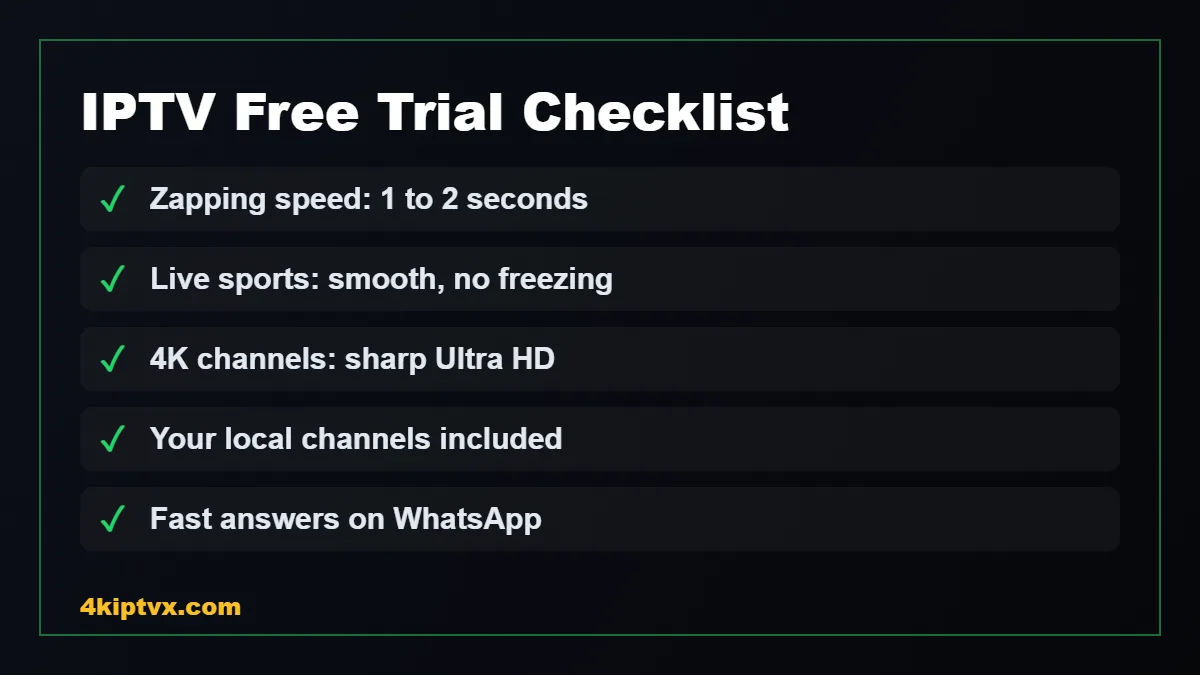
Keep this checklist open on your phone while you watch. Tick each point one by one, and write down anything that does not look right. If something is unclear, send us a quick message on WhatsApp during the test: our team will explain or fix it in a few minutes, so you can make your final decision with complete confidence.
Tip: test at the time you usually watch TV, for example in the evening or during a big game. That is when weak services show their limits, and when a strong service proves its value.
Ready to test? Your IPTV free trial is one message away
Tell us your device and app on WhatsApp. We send your test login in minutes, with the full channel list and 4K content.
Best Apps to Use for Your IPTV Free Trial
Your test line works with any app that supports Xtream Codes or M3U playlists. These are the most popular choices:
- IPTV Smarters Pro: free, simple and available on almost every device. Read our guide to the IPTV Smarters Pro subscription price to understand what is free and what is not.
- IBO Player: perfect for Samsung and LG Smart TVs. You only send us the MAC address and Device Key, and we load the playlist for you.
- TiviMate: the favorite of Android TV and Firestick users, with a very clean TV guide. See TiviMate Premium vs Free.
- VLC: handy for a quick test on a computer. Follow our IPTV VLC guide.
IPTV Free Trial on Each Device
Amazon Firestick
Install IPTV Smarters Pro or TiviMate with the Downloader app, then log in with your test details. For real 4K, use a Fire TV Stick 4K or 4K Max. Our 4K IPTV Firestick setup guide shows every step.
Samsung and LG Smart TVs
Download IBO Player (or another IPTV player) from your TV app store, open it, and send us the MAC address and Device Key. The test playlist appears in the app after a quick restart.
Apple TV 4K
Use IPTV Smarters Pro or iPlayTV from the App Store. See how to install IPTV on Apple TV 4K.
Android TV boxes, phones and computers
Any Android box, Android phone, iPhone, Windows PC or Mac works with the same login. You can test on your phone first and then move to your TV.
IPTV Free Trial vs 1-Month Plan: Which Is Smarter?
An IPTV free trial is perfect to confirm that everything works. If you want more time to test, the 1-month plan is the natural next step, because it costs little and has no contract.
| IPTV free trial | 1-month plan | |
|---|---|---|
| Price | Free | $10.99 |
| Duration | Several hours | 30 days |
| Channels & VOD | Full catalog | Full catalog |
| Custom channel list | No | Yes, keep only the countries you want |
| Best for | Checking quality on your device | Testing over a full month of sports |
Red Flags: IPTV Free Trial Offers to Avoid
Not every free test offer is honest. Be careful if you see one of these warning signs:
- They ask for your card for a "free" test. A real IPTV free trial does not need payment details. The FTC warns about free trial offers that turn into unwanted charges.
- "Free forever" promises. Servers cost money. A service that never asks for payment usually disappears or sells your data.
- No real contact. If there is no WhatsApp, email or chat, you will have nobody to help you after you pay.
- Only a small channel list during the test. A good free test shows the full catalog, not a limited demo.
- Pressure to pay before the test ends. You should decide only after you watched what matters to you.
What Happens After Your IPTV Free Trial Ends?
Nothing is charged automatically. When the test ends, the line simply stops. If you liked the service, choose a plan and we activate it right away, usually on the same app and device you used for the test:
- 1 month: $10.99
- 3 months: $22.99 (about $7.66 per month)
- 6 months: $34.99 (about $5.83 per month)
- 12 months: $59.99 (about $5 per month, the best value)
Plans for 2, 3 or 4 screens are available too. You can compare every option on our 4K IPTV subscription plans page. Want to know how we compare to other services first? Read our list of the best IPTV providers or our guide to cheap IPTV that is still reliable.
IPTV Free Trial Not Working? Quick Fixes
Most problems during a test are small and take less than a minute to fix. Before you judge the service, try these simple checks:
The app says "login failed"
Check the server URL, username and password letter by letter. A single extra space or a wrong capital letter is enough to block the login. Copy and paste the details from our WhatsApp message when your device allows it.
Channels load but the picture freezes
Restart your router and your device, then try again. If you use Wi-Fi, move the router closer to the TV or use a 5 GHz network. For 4K channels, plan for about 25 to 30 Mbps of real speed per stream. You can check your speed in a few seconds on Speedtest.
Some channels show a black screen
Event channels only broadcast during a match or a show, so they are empty the rest of the time. This is normal. Try a regular channel in the same category to confirm everything works.
The TV guide (EPG) is empty
The guide can take a few minutes to load the first time. Close the app completely and open it again. If it is still empty, send us a short message and we will help you right away.
Free Test vs "Free IPTV": What Is the Difference?
Many people confuse a free test with free IPTV lists found online. They are not the same thing at all. A free test is a short, temporary access to a paid, maintained service. The provider pays for the servers, the bandwidth and the support team, and lets you try everything for a few hours so you can make an informed choice.
Public "free IPTV" playlists are a very different story. They are shared links that stop working after a few hours or days, they are overloaded by thousands of users at the same time, and they often contain broken or low-quality channels. Some of them also come from unknown sources that you cannot trust with your devices.
In short, a free test is a way to evaluate a real service, while free lists are a gamble. If you want stable live sports, a clean TV guide and 4K movies that actually play, the smart path is to test a real provider and then pick a plan that fits your budget. Our 12-month plan costs about $5 per month, which is less than one month of most cable or satellite packages.
Who Should Use an IPTV Free Trial?
A free test is useful for almost everyone, but it is especially valuable if you are in one of these situations:
- You are new to IPTV and want to see how it works before spending money.
- You are switching providers because your current service freezes during big games.
- You bought a new device, such as a Fire TV Stick 4K or a new Smart TV, and want to confirm it plays 4K streams correctly.
- You watch specific channels from your home country and want to make sure they are included.
- You share the subscription with family and want to test on more than one screen before choosing a multi-screen plan.
Whatever your reason, the rule stays the same: test first, then pay. That is the fairest way to choose an IPTV service, and it is exactly why we offer a free test to every serious customer.
Start your IPTV free trial in 3 simple steps
No card, no contract. Test everything first, then pick the plan that fits you.
Tap the WhatsApp button and ask for your IPTV free trial.
Firestick, Smart TV, Android box, Apple TV or phone.
Test live sports and movies, then choose your plan.
Frequently Asked Questions (FAQ)
Is the IPTV free trial really free?
Yes. The IPTV free trial costs nothing and does not require a credit card. You only pay if you decide to subscribe after the test.
How long does the IPTV free trial last?
The IPTV free trial gives you several hours of full access, which is enough to test live sports, movies and your internet connection. If you want more time, the 1-month plan at $10.99 is the next step.
How do I request an IPTV free trial?
Send us a message on WhatsApp with your country, your device and the app you use. We activate your test line in minutes.
Which devices work with the IPTV free trial?
Firestick, Samsung and LG Smart TVs, Android TV boxes, Apple TV, phones, tablets and computers. Any app that supports Xtream Codes or M3U playlists works.
Do I get all channels during the IPTV free trial?
Yes. The test includes the full catalog: 55,000+ live channels and 170,000+ movies and series, including 4K content.
Will I be charged when the IPTV free trial ends?
No. There is no automatic renewal. The test simply stops, and you choose a plan only if you want to continue.
Can I keep the same app after the IPTV free trial?
Yes. In most cases we activate your subscription on the same app and device you used for the test, so you do not need to set anything up again.